The Waiting Game That Drives Website Owners Crazy
Have you ever moved your website to a new host, hit refresh, and saw a terrifying error screen? I completely panicked the first time it happened to me. I honestly thought I destroyed my entire online business with one bad click. It turns out, I did not break anything at all—the internet just needed a few hours to catch up with my changes. If you are sitting there staring at a broken webpage right now, take a deep breath. I am going to show you exactly why this happens and how to fix it without losing your mind.
"Why is my website showing up on my phone, but completely broken on my computer?"
If you have ever asked this question, you are definitely not alone. Every single day, thousands of new bloggers and business owners experience this exact moment of panic. You just paid for your new hosting account, carefully connected your domain name, and hit the refresh button with a big smile.
Instead of seeing your beautiful new homepage, your screen displays a terrifying error message. It says "Server Not Found" or "This site cannot be reached." Your heart drops into your stomach.
You quickly text your friend across the country to check the site. They reply back immediately: "Looks great to me! Everything is working fine." You sit there staring at your screen, feeling completely helpless and utterly confused.
You start wondering if you broke the internet. Did you type a number wrong? Did your hosting company scam you? The anxiety builds up quickly because you cannot physically see what is going wrong behind the scenes.
This deep frustration happens because nobody warns beginners about the invisible waiting room of the internet. You expect digital technology to be instant. However, the internet is actually a massive physical network of cables, routers, and local servers that need time to communicate.
Understanding this invisible delay will save you from pulling your hair out during your next website update. Let me show you exactly what is happening in the background, so you never have to panic about this again.

Quick Summary: Why You Shouldn't Panic
- Your website is not broken; the global internet directory just needs time to update.
- This waiting period (called propagation) can take anywhere from a few minutes to 24 hours.
- Making random changes out of panic will actually restart the waiting clock.
- Just update your settings exactly once, close your laptop, and go do something else!
Demystifying the Invisible Postal Service of the Internet
To solve this frustrating mystery, we first need to understand how computers actually talk to each other. Computers are incredibly smart, but they do not understand human language. They only understand strict strings of numbers.
When you want to call your mother on the phone, you do not type in her raw ten-digit phone number every single time. Instead, you open your phone's contact list, tap the word "Mom," and the phone automatically dials the correct numbers.
The Domain Name System works exactly like that contact list on your smartphone. It is a massive, globally distributed directory that translates human-friendly website names into computer-friendly numbers.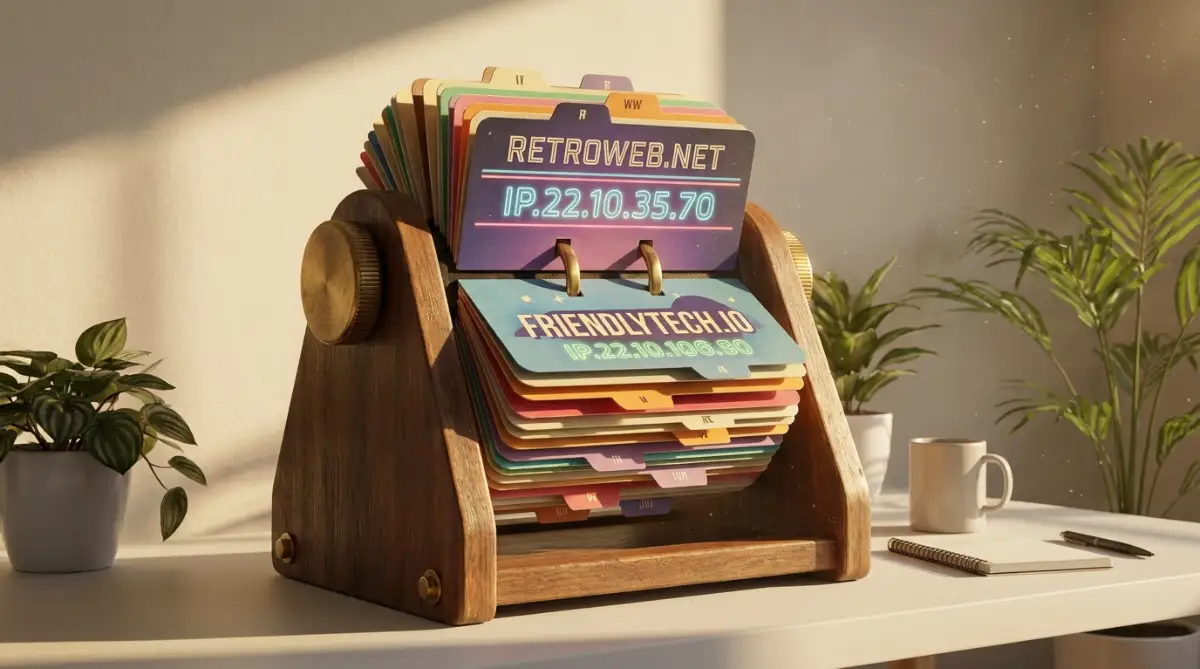
These numbers are called IP addresses. Every single web server in the world has a unique IP address, looking something like 192.168.1.1. Without a translation system, you would have to memorize those exact numbers for every website you want to visit.
How Your Browser Actually Finds a Website
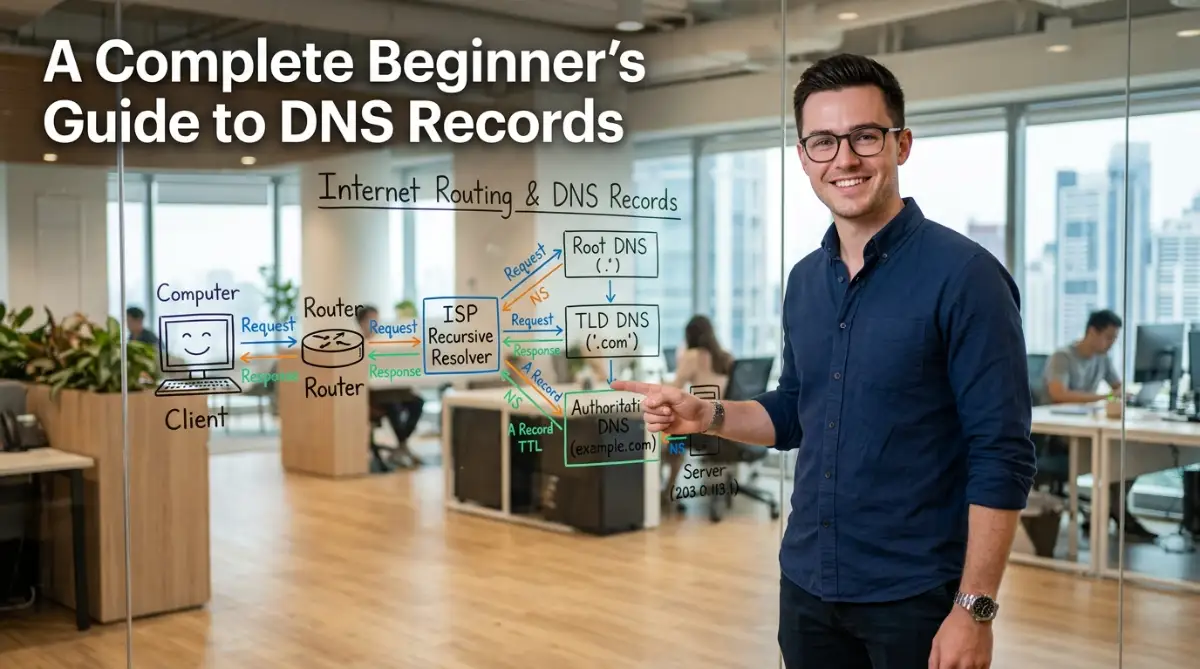
Let us walk through a real-life scenario of what happens the exact millisecond you hit the enter key. You type a web address into your browser. Your computer immediately realizes it needs directions, so it asks your local Internet Service Provider for help.
Your internet provider checks its local memory bank to see if it knows the correct server numbers for your site. If it does not know the answer, it sends a digital messenger out into the wider internet to find the master directory.
This messenger travels to the "Root Servers," which act like the main reception desks of the internet. The root server directs your messenger to the ".com" or ".org" department. Finally, the messenger arrives at your specific domain registrar.
Your domain registrar holds your exact DNS records. It reads these records, grabs the correct IP address for your specific hosting server, and sends that number all the way back to your computer. Only then does your website actually load on the screen.
This entire global journey happens in a fraction of a second. It is an absolute engineering marvel. But things get complicated when you need to change those records.
The Core Building Blocks of Your Domain Strategy
If staring at those weird letters and numbers inside your domain account makes your head spin, watch this simple visual breakdown. It clearly explains how A records and CNAMEs actually work so you can set up your new site without any stressful guesswork.
When you open your domain settings panel, you will see a bunch of strange letters and abbreviations. It looks like highly complex computer code, but it is actually just a simple set of routing instructions. Let us break down the most important ones in plain English.
If staring at those weird letters and numbers inside your domain account makes your head spin, watch this simple visual breakdown video below. It clearly explains how A records and CNAMEs actually work so you can set up your new site without any stressful guesswork, and then keep reading to learn why your website updates sometimes take hours to show up on your phone.
The Main Destination (A Records)
The "A" simply stands for Address. This is the most fundamental record in your entire account. Its only job is to point your main website name directly to the exact IP address of your web server. If your A Record is pointing to the wrong numbers, your website simply will not load.
The Smart Mail Sorter (MX Records)
MX stands for Mail Exchange. This record handles the routing of your custom professional emails. When a client tries to email you, the internet checks your MX records to see where that message should be delivered. You use these records to connect your domain to services like Google Workspace or Outlook.
The Digital Security Guard (TXT Records)
TXT simply means Text. Originally, these were just used to leave human-readable notes for administrators. Today, they are heavily used for online security verifications. Google often asks you to add a specific TXT record to prove you actually own the domain before letting you use their advanced tools.
The Difference Between Direct IP and Aliases
Many beginners get deeply confused between an A Record and a CNAME Record. They often try to use both at the same time, which breaks their entire website. Let us look at a simple breakdown of how they differ.
Record Type What It Actually Does Real-Life Analogy Best Used For
A Record Points a name directly to numbers (IP Address). Giving someone your exact GPS coordinates.
The main root domain (yourwebsite.com).
CNAME Record Points one name to another name, never to numbers. Telling someone "I moved, forward my mail to my brother's house. "Setting up subdomains (shop.yourwebsite.com).
You should never use a CNAME for your main root domain. It is strictly an alias system designed to keep things organized when you have multiple sub-sections of your blog.
The 10-Second DNS Cheat sheet
| Record Name | What It Does For You | When Do You Touch It? |
| :--- | :--- | :--- |
| A Record | Points your domain to your new web host. | When moving your main website to a new company. |
| MX Record | Controls your business emails. | When setting up a Google Workspace or Outlook email. |
| CNAME | Connects sub-sections of your site. | When building a separate store (like shop.yoursite.com). |
The Science Behind Propagation Delays
Now we arrive at the main event: propagation time. When you update an A Record to point to a brand new hosting server, you expect everyone in the world to see the change immediately. But as we discussed earlier, your friend across the country might see the new site, while you see the old one.
This happens because of a technical concept called "caching." Internet providers (like Comcast, AT&T, or your local telecom) handle millions of requests every second. To speed things up and save massive amounts of money, they memorize website locations.
When you change your records, the master directory updates instantly. However, your local internet provider does not check the master directory immediately. It relies on its saved memory for a certain period of time to save bandwidth.
My Personal Pro Tip for Quick Checks:
Don't trust your own web browser if you just updated your DNS records! Your browser likes to hold onto old data. Always open an "Incognito" or "Private" window on your phone to check if your new website is finally loading.
Myth vs. Reality:
- The Myth: When I change my DNS records, my domain registrar takes 48 hours to process the update on their end.
- The Reality: Your registrar updates their master file instantly. The 48-hour delay is strictly caused by local internet providers around the world slowly clearing out their old, memorized data.
Understanding the Expiration Date on Data
How does an internet provider know when to finally clear its memory and check for your new address? This is controlled by a hidden setting called TTL, which stands for Time To Live.
You can think of TTL as the exact expiration date stamped on a carton of milk. When a computer memorizes your domain location, the TTL tells it exactly how many seconds that memory is allowed to live.
If your TTL is set to 86,400 seconds, that equals exactly 24 hours. This means that if you update your hosting server, a local computer might refuse to check for the new location until that full 24-hour timer expires.
This is exactly why website propagation appears to happen in random waves. A computer in London might have its timer expire right now, so it sees your new website immediately. Meanwhile, a computer in New York might have 12 hours left on its timer, so it continues loading your old, broken website.
A Smart Strategy for Planned Migrations
Professional web developers use this TTL knowledge to their advantage when moving a massive website to a new host. They do not just change the records and pray everything works out. They plan the move strategically.
A few days before they actually move the website, they log into the domain dashboard and lower the TTL setting drastically. They might change it from 24 hours down to just 300 seconds (five minutes).
They wait a few days to ensure every internet provider in the world registers this new five-minute rule. Then, when they finally switch the main A Record to the new server, the entire world updates in just a few minutes.
Once the move is fully completed and successful, they raise the TTL back to a normal level to keep things running efficiently. This simple, logical trick almost completely eliminates the painful 48-hour waiting period.
If you are a beginner, you do not always need to manipulate these advanced timers. Simply knowing that the delay is normal, temporary, and based on local computer memory will save you a massive amount of unnecessary stress. You can simply step away from the computer, grab a cup of coffee, and let the global network do its job naturally.
Pro-Level Secrets for Managing Network Changes Smoothly
Now that you understand the basic mechanics of how your browser finds a website, it is time to look at some advanced operational methods. Professional web administrators do not leave anything to chance when updating server directories. They rely on specific habits to ensure zero downtime for their visitors.
One of the most powerful habits you can develop is using command-line diagnostic tools. When you update your settings, you do not have to just sit there refreshing your browser hoping for the best. You can actively track the network changes in real-time from your own computer.
Tracking Changes in Real-Time Like an Expert
If you are using Windows, you can open your command prompt and type a simple lookup command. On a Mac, you open your terminal application. This command asks your local machine to show you exactly which server number it is currently seeing for your web address.
When you see the new server IP address appear on your screen, you instantly know that your local internet connection has updated. This eliminates all the guesswork and emotional stress of wondering if you typed a number incorrectly.
Another great diagnostic trick is using online lookup checkers. These are public tools hosted on servers all around the planet. You type in your web address, and the tool shows you a map of what different countries currently see.
If you see that Tokyo sees your new site, but New York still sees the old one, you instantly understand the propagation wave. You can relax, knowing the system is working exactly as it was designed to work.
To understand more about how global internet routing standards and network protocols operate at a technical level, you can review the official documentation provided by the
Building a Long-Term Maintenance Routine
Maintaining a healthy website requires proactive record-keeping. You should always keep a clean, written backup of your settings before you make any changes. If you accidentally break a setting, you can easily revert to the saved version in seconds.
Think of this like taking a snapshot of a complex puzzle before you start moving pieces around. If a piece goes missing or gets lost, you can just look at the photo to put it right back.
Just as keeping a backup of your digital settings prevents website disasters, taking care of your physical body prevents personal health disasters. If you are struggling with wellness routines, you might find it helpful to read about how to avoid these natural body detox mistakes for clearer skin to keep your daily health balanced.
Using Subdomains for Safe Testing
Professional developers never test major changes on their main root domain. If you want to install a brand new blogging platform or test a new layout, you should always use a subdomain.
Creating a subdomain is completely free and takes less than a minute. You can point that subdomain to a separate testing server without touching your main website traffic. Once you are one hundred percent sure everything works properly, you can safely update your main records.
Similar to how you test your server settings on a safe subdomain, you should always check your personal care routines using safe methods. For instance, knowing your baseline traits is essential, which is why learning how to identify your exact skin type at home can save you from trying the wrong cosmetic products.

The Dangerous Traps That Break Website Connections
Even with the best intentions, beginners frequently fall into invisible traps when editing their server settings. A single misplaced dot or an accidental extra space can completely paralyze your online presence. Let us look at the most common emotional and technical pitfalls you must avoid.
One major mistake people make is panicking and making multiple changes all at once. If your site does not load after five minutes, you might change your A Record, delete your MX records, and switch your name servers. This chaotic behavior creates a massive tangled mess of conflicting signals.
When you scatter random changes across the network, you completely reset the propagation timer. You essentially force every computer on earth to start their waiting period all over again.
Early on, I made the huge mistake of changing my settings over and over again out of pure panic when my site didn't load instantly. I quickly realized this nervous habit just resets the hidden clock and makes the waiting period even longer! Now, I make my server changes exactly once, close my laptop, and go for a long walk while the network does its job.
The Silent Danger of Trailing Dots
Another frustrating mistake involves punctuation. In the world of domain records, syntax is everything. Some interfaces require a trailing dot at the very end of a URL, while other modern platforms automatically reject it.
If you paste a destination address with an extra hidden space at the end, the system treats it as a broken destination. Your web server fails to recognize the address, and your visitors are greeted with a harsh error screen.
For a deeper dive into technical internet governance and how domain registries manage global database integrity, you can read the comprehensive resources provided by Public Technical Identifiers (PTI).
The Risk of Deleting Old Records Too Early
When migrating from an old web host to a new one, people often rush to delete their old records. They think clearing out the old data will speed up the transition process.
This is a dangerous trap. If you delete your old mail records before your new mail server is fully active, you will permanently lose incoming messages. Those messages vanish into the ether, never to be seen again.
Always keep your old settings active and fully operational until you have completely verified that the new server is receiving traffic correctly. Patience is your greatest asset in the digital world.
A Clear Path Forward for Your Digital Journey
Mastering how your website finds its home is a massive milestone in your online journey. You no longer have to feel intimidated by technical terms, confusing numbers, or mysterious waiting periods. You now hold the foundational knowledge required to manage your web property like a seasoned professional.
Remember that every single expert started exactly where you are right now. They stared at blank screens, made silly punctuation errors, and waited nervously for their pages to load. The only difference is that they refused to let temporary confusion stop them from learning.
You have the power to control your digital space safely and effectively. Take your time, double-check your entries, and trust the natural flow of the global network.
Your Action Plan for Tomorrow
Do not let this knowledge sit quietly in your mind. Take these actionable steps over the next few days to solidify your confidence.
- Audit Your Current Setup: Log into your domain dashboard just to look at your records without changing anything. Familiarize yourself with where your A and MX records live.
- Keep a Backup Notebook: Write down your current server IP addresses in a safe physical notebook or a secured digital document.
- Test a Subdomain: Practice creating a simple testing subdomain just to see how the connection process feels in real-time.
By taking these small, deliberate steps, you build unshakeable confidence in your technical abilities. Your online presence is secure, your records are clean, and your audience can always find you without interruption.
Learning how these invisible website connections actually work completely took away my fear of managing my own online business. You absolutely do not need to be a tech genius to handle this stuff, so log into your domain account today just to look around and take full control of your digital home!
Figuring out how these domain records actually work took away all my fear of managing my own website. You absolutely do not need to be a computer genius to handle your online business like a pro. Take a deep breath, log into your account to simply look around today, and watch your technical confidence grow!
Disclaimer: The information provided in this article is for educational purposes only. DNS management interfaces, propagation timelines, and record requirements vary significantly between different domain registrars and web hosting providers. Always consult your specific service provider's official documentation before making major technical changes to your live website.