

When Your Trusted Gadgets Turn Against You
I still vividly remember sitting in a crowded coffee shop, furiously typing away on my laptop to meet a massive deadline. Out of nowhere, the screen flickered, the internal fans screamed at maximum volume, and the entire system went completely black. My charger was firmly plugged in, but the motherboard had simply fried from poor heat management and dust buildup. I instantly lost hours of hard work and had to spend a small fortune on emergency repairs the very next day. That sinking feeling of panic in my stomach is something I never want to experience again.
The truth is, we spend a huge chunk of our hard-earned money on smartphones, laptops, and tablets to make our daily routines easier. Yet, it feels like these expensive machines are practically designed to fail just when we need them the most. We carefully save up to buy the latest gear, only to watch the battery drain abnormally fast after just a few months of use. This constant cycle of buying and repairing takes a massive toll on our wallets.
Beyond the financial strain, failing technology creates a deep sense of underlying anxiety in our daily lives. You might be trying to capture a perfect family moment on a vacation, only to have your phone randomly shut down at 15% battery. Or maybe you are waiting for an urgent phone call, constantly glancing at the red battery icon with a feeling of dread.
Every time an app freezes or a charging cable stops working, it adds a layer of unnecessary stress to our already busy days. We depend on these tools for work, entertainment, and staying connected with our loved ones. When they break down prematurely, it honestly feels like a betrayal of our trust.
We are forced to waste our weekends sitting in crowded repair shops, hoping the technician can save our precious photos and important documents. This lack of reliability robs us of our peace of mind. We end up treating our expensive gadgets like fragile glass, constantly worrying about the next random hardware failure.
The Secret Chemistry Behind Your Battery Health
Most people do not realize that the battery inside your phone or laptop is essentially a tiny chemical factory. These lithium-ion batteries prefer to live in a very specific state of balance to perform at their best. When you constantly push them to their extreme limits, the internal chemistry starts to degrade much faster than normal.
Understanding how to properly feed this chemical factory is the absolute best way to keep your tech running smoothly for a long time. You do not need an engineering degree to master battery care. You just need to adjust a few simple charging habits.
The 20-80 Charging Rule Explained
Think of your smartphone battery like your own stomach. You feel terrible when you are completely starving, and you feel equally sick when you overeat at a giant buffet. Lithium-ion batteries experience the exact same physical stress when they drop to 0% or sit at a full 100%.
The golden rule for battery longevity is to keep your charge level between 20% and 80% as much as possible. Pushing a battery from 80% up to 100% requires significantly more voltage and generates extra heat. This extra strain slowly permanently reduces the total capacity your battery can hold over time.
You can easily manage this by giving your phone short top-ups throughout the day rather than one massive charge. Plug it in while you are taking a shower or driving to work. These small bursts of power are incredibly healthy for the lithium cells.
Should You Charge Overnight?
We all have the habit of plugging our phones in right before we go to sleep. While modern smartphones are smart enough to stop drawing power once they hit 100%, sitting at maximum capacity for eight hours is still highly stressful for the battery.
If you must charge overnight, dig into your phone settings and turn on the "Optimized Battery Charging" feature. This brilliant software learns your daily sleep schedule. It holds your battery at 80% all night and only pushes it to 100% right before your morning alarm goes off.
Are you making this common charging mistake that silently destroys your phone's battery life? Watch this short visual breakdown to understand exactly what happens inside your device.
Mastering Heat Management to Prevent Hardware Failure
Heat is the absolute worst enemy of any electronic device on the planet. High temperatures physically warp internal components, melt delicate solders, and cause batteries to swell dangerously. Managing the temperature of your gadgets is the single most effective way to prevent sudden hardware death.
Our devices generate a lot of internal heat when we play heavy games or edit videos. If that heat has nowhere to escape, the device will begin to slowly cook itself from the inside out.
I used to have a terrible habit of watching movies with my laptop resting directly on my soft bed comforter. My bed sheets completely blocked the bottom cooling vents, trapping all the hot air inside the machine. I realized my mistake only after my laptop started randomly shutting down to protect its melting processor, and I quickly invested in a cheap, hard lap desk to fix the issue.
The Danger of Direct Sunlight
Never leave your phone sitting on the dashboard of your car on a sunny afternoon. The magnifying effect of the car windshield can push the temperature of your phone well beyond safe operating limits in just ten minutes.
If you are at the beach or sitting by the pool, always keep your gadgets tucked safely inside a bag or under a thick towel. If your phone ever displays a temperature warning on the screen, immediately turn it off and move it to a cool, shaded area. Do not put it in the refrigerator or freezer, as the sudden temperature change will cause internal condensation and water damage.
Give Your Devices Room to Breathe
Laptops and gaming consoles need a constant flow of fresh air to stay healthy. If you keep your gaming console stuffed inside a tight, closed TV cabinet, you are severely reducing its lifespan.
Ensure there are at least a few inches of open space behind and around your heavy-duty electronics. You can also use a can of compressed air every few months to gently blow away the dust that naturally gathers around the cooling fans. Just make sure to hold the can perfectly upright so you do not spray freezing liquid onto the circuit boards.
Smart Physical Maintenance for Everyday Wear and Tear
We handle our phones and laptops dozens of times a day, subjecting them to a constant barrage of bumps, drops, and spills. Even if you are an incredibly careful person, normal physical wear and tear will eventually take its toll. Building a solid physical defense system will save you from heartbreaking cracked screens and broken charging ports.
It is always cheaper to replace a broken accessory than a broken device. Investing a little money up front in good protection pays off massively in the long run.
The Pocket Lint Problem
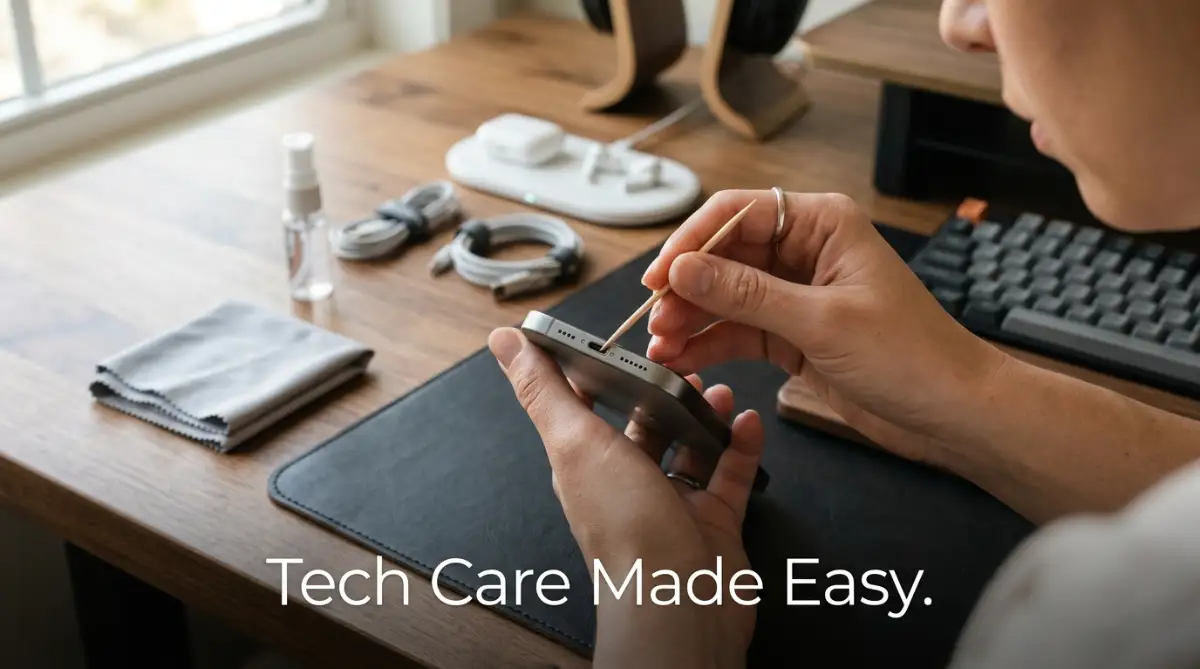
Have you ever plugged in your charging cable, but it just refuses to click securely into place? You might think the port is completely broken, but the culprit is usually just months of tightly packed pocket lint. Every time you push the charger in, you are compacting the dust further into the back of the port.
Cleaning this out is easy, but you must use the right tools. Never stick a metal safety pin, paperclip, or needle inside your charging port. Metal objects will instantly scratch or short-out the delicate gold contact pins inside.
Instead, take a wooden toothpick or a plastic dental pick and very gently scrape the bottom of the port. You will be absolutely amazed and slightly disgusted by how much gray fluff comes falling out.
Comparison: Choosing the Right Protective Gear
Not all phone cases and screen protectors are created equal. You need to pick the right materials based on your daily lifestyle and clumsy habits.
Using a tempered glass screen protector is an absolute must. When you drop your phone face-down, the tempered glass takes the force of the impact and shatters. You can easily peel off the broken protector to reveal a perfectly flawless screen underneath.
Cable Management and Power Safety
We often treat our charging cables with zero respect. We yank them out of the wall by the cord, twist them into tight knots, and run them over with our desk chairs. Damaged cables are not just annoying; they are a massive fire hazard that can send harmful voltage spikes directly into your motherboard.
A frayed cable with exposed internal wires should go straight into the trash bin. Trying to fix it with electrical tape is a temporary solution that risks destroying your thousand-dollar device.
The Right Way to Unplug
Always grab the solid plastic head of the cable when unplugging your devices. Pulling directly on the flexible cord slowly rips the internal copper wires away from the connector head. Over time, this leads to that frustrating situation where the charger only works if you bend it at a very specific, weird angle.
If you travel often, gently loop your cables in a wide, loose circle. Never tightly wrap a cable around a bulky power brick. The sharp angles create intense stress points that will eventually snap the wires inside the rubber casing.
Beware of Cheap Replacement Chargers
When you lose your original charger, it is incredibly tempting to buy a cheap, unbranded replacement from a gas station or a discount store. This is one of the worst decisions you can make for your electronics.
Cheap chargers lack the proper internal safety chips that regulate voltage and prevent overheating. They will force uneven electrical currents into your battery, causing rapid degradation and extreme heat. Always buy replacement chargers directly from the original manufacturer or from certified, trusted third-party brands that offer warranties.
Optimizing Software to Reduce Hardware Strain
It might sound strange, but the way you organize your software directly impacts how long your physical hardware will last. When your phone or computer is cluttered with digital junk, the processor has to work incredibly hard just to perform basic tasks. This constant heavy lifting drains the battery faster and generates unnecessary internal heat.
Keeping your digital workspace clean is just as important as wiping smudges off your physical screen. A well-maintained operating system makes a three-year-old device feel brand new.
Keep 20% of Your Storage Completely Empty
Solid-state drives (SSDs) and smartphone storage chips need empty space to shuffle data around efficiently. If you fill your storage up to 99% with photos and apps, the system begins to choke.