
The Silent Burnout: Drowning in a Sea of Copy-Paste
If you’ve ever felt like your brain is melting while copying data from one tab to another, you’re not alone. I’ve spent way too many years acting like a human robot, mindlessly moving email addresses into spreadsheets until my eyes burned. It was a total waste of my life. I finally figured out how to make my apps talk to each other so I don't have to, and I want to show you how to do the same.
Picture this familiar scenario. You sit down at your desk on a Monday morning, a fresh cup of coffee in hand, feeling ready to conquer the week.
But within ten minutes, the reality of your workday hits you like a brick wall. You find yourself downloading an email attachment, renaming the file, and then uploading it to a specific cloud folder.
Then, you copy data from that file and paste it into a massive spreadsheet. You repeat this exact same process twenty times before lunchtime. By the time you actually get to the meaningful, creative part of your job, your brain feels completely drained of energy.
Why do we do this to ourselves? We live in an era of incredible technology, yet so many of us operate like human robots.
You might think that building a system to do this work automatically requires an advanced degree in computer science. You might believe that unless you know how to write complex programming scripts, you are doomed to a life of manual data entry.
I am here to tell you that this is simply a myth. The modern internet has completely changed the rules of productivity.
Today, building a custom digital assistant to handle your boring work is as easy as playing with digital Lego blocks. You just drag, drop, and connect. Let us explore exactly how you can reclaim your time and protect your mental energy without typing a single line of computer code.

The 'Reclaim Your Weekend' Summary
- Stop Being a Robot: If you do a task more than three times a week, you should probably let a computer do it for you.
- Triggers & Actions: Think of it like dominoes. When one thing happens (Trigger), your app does the next task (Action) automatically.
- Start Small: Don't try to change your whole business in a day. Pick one 5-minute task and automate it first.
- Check Your Logic: Always make sure your last step doesn't accidentally restart the first step, or you'll end up in an infinite email loop!
Taking Back Your Time: The No-Code Revolution
But the internet has shifted toward a completely visual approach. We call this the no-code movement.
This movement is built on a very simple philosophy: technology should adapt to how humans think, rather than forcing humans to think like machines. By using simple visual interfaces, anyone can build powerful systems that work quietly in the background.
How Cognitive Overload Destroys Productivity
To truly appreciate why this matters, we have to look at the psychology behind manual labor. Every time you switch tabs to copy a piece of information, your brain uses a tiny bit of energy.
Psychologists call this cognitive switching penalty. When you do this hundreds of times a day, your brain experiences severe cognitive overload.
This is the exact reason why you feel completely burned out by 3:00 PM on a Tuesday. Your brain is not tired from deep, meaningful work; it is exhausted from managing the friction of poorly connected tools. Automating these small steps acts like a pressure release valve for your mind.
The Anatomy of an Automated System
If you are a visual learner, reading about triggers and actions might feel a bit confusing, but seeing them connected on a screen makes total sense. Watch this quick video below to see exactly how these digital blocks snap together, and then keep reading to learn how to find the hidden time-wasters in your own schedule!
Before we build anything, you need to understand how these modern tools actually talk to each other. Every single automated system in the world is built on two very basic concepts.
Think of it like setting up a line of dominoes on a table. Pushing the first domino is the Trigger, and every domino that falls afterward is the Action.
If you can understand cause and effect, you already have all the technical skills needed to build amazing workflows. You do not need to understand servers, databases, or API calls. You only need to know what you want to happen and when you want it to happen.
Trigger: The Starting Gun
A trigger is simply the event that wakes up your digital assistant. It is the condition that says, "Hey, pay attention, it is time to go to work!"
For example, receiving an email from your boss could be a trigger. A new customer filling out a contact form on your website is another perfect example of a trigger.
These events happen naturally throughout your workday without you doing anything special. Your job is simply to tell the software which specific event to watch out for.
Action: The Heavy Lifting
Once the trigger happens, the action is the task your digital assistant performs automatically. This replaces the manual clicking and typing you used to do.
If the trigger was receiving a new email, the Action could be saving the attached document directly to your cloud drive. It happens instantly, perfectly, and without you ever opening the email.
You can even string multiple actions together. After saving the file, the system could automatically send a message to your team chat saying the file is ready.
Myth vs. Reality in Modern Automation
Common Belief The Actual Reality
It takes weeks to set up Most basic workflows take under 10 minutes to build
It breaks easily and causes errors Automated systems make fewer mistakes than tired humans
You need to know complex math/logic If you can draw a flowchart on paper, you can automate it
Phase One: Conducting a Time-Vampire Audit
The 'Stop Doing This' Cheat Sheet
Before you build anything, look for these three signs that a task needs to be automated:
- The Copy-Paste Test: Are you moving info from an email to a sheet? Automate it.
- The Naming Game: Are you renaming files with the same pattern every time? Automate it.
- The 'Ping' Problem: Are you manually telling your boss 'it's done' every time you finish a task? Automate it.
You cannot fix a problem if you do not know exactly where it is hiding. The very first thing you must do is identify the tasks that are slowly draining your time.
I call these tasks Time Vampires. They look harmless on the surface, taking maybe two or three minutes to complete.
But when you perform them dozens of times a week, they consume entire days of your life. For the next three workdays, keep a simple notepad next to your keyboard.
Every time you find yourself copying text, moving files, or doing a task that feels like a robot could do it, write it down. Be very specific about the apps you are jumping between.
Pro-Tip: The Rule of Three
How do you know if a task is worth the effort to automate? I always recommend following the simple Rule of Three.
If you have to do the exact same manual sequence of clicks more than three times a week, it belongs to an automated system. If you spend more than three minutes organizing data between two different software programs, you need to automate it.
Following this rule prevents you from wasting time building systems for tasks you only do once a year. Focus your energy on the daily grinds that heavily impact your regular schedule.
Real-Life Scenario: The Inbox Escape
Let us look at a highly practical example to make this crystal clear. Imagine a professional named Sarah who manages client contracts.
Every time a client emails her a signed PDF, she has to download it, rename it with the client's name, upload it to a specific folder, and email her manager to confirm receipt. This single process takes her about seven minutes per client.
With ten clients a day, Sarah is spending over an hour just moving digital paper around. She feels like a glorified file manager rather than a strategic professional.
Phase Two: Designing the Logic
Sarah decides to use a visual workflow builder to solve this massive headache. She logs into a simple drag-and-drop platform and starts connecting her tools.
First, she selects her email provider as the starting point. She sets the Trigger to look specifically for emails containing the word "Contract" in the subject line.
She tells the system to completely ignore any emails that do not match this exact rule. This ensures her personal emails or random newsletters do not trigger the workflow by accident.
Connecting the Dots
Next, Sarah adds her first action step. She clicks on her cloud storage app icon and drags it into the sequence.
She instructs the system to take the attachment from the triggered email and drop it into her "Signed Contracts" folder. But she does not stop there.
Because visual builders allow for multiple steps, she adds one final action to the chain. She connects her team messaging app and sets it to automatically ping her manager with a custom message: "New contract successfully uploaded."
Overcoming the Fear of Letting Go
One of the biggest hurdles people face is learning to trust the system. When you have done a task manually for years, handing it over to invisible software feels very uncomfortable.
You might worry that an important client file will get lost in the digital void. This is a completely normal human reaction to changing work habits.
The best way to build trust is to test your workflows using fake data first. Send yourself a test email with a dummy attachment and watch the magic happen in real-time.
When you see the file instantly appear in your folder and the message pop up in your chat, your anxiety will melt away. You will suddenly realize that the machine is actually more reliable than you are on a busy Friday afternoon.
The Beauty of Pre-Built Templates
You do not even have to start from a blank canvas if you feel overwhelmed. Most modern platforms offer massive libraries of pre-built templates created by other professionals.
I get asked a lot about which tool to use. Here is my quick breakdown based on what you actually need:
These templates cover the most common business tasks in the world. Want to automatically add new email contacts to your spreadsheet? There is a template for that.
Want to turn your saved social media posts into tasks on your to-do list? Someone has already built that exact flow.
You simply select the template, log into your accounts, and turn the switch on. It is exactly like buying pre-assembled furniture instead of building it from scratch.
By starting with templates, you learn how the internal logic works by observing successful examples. Eventually, you will feel confident enough to modify these templates and build highly customized solutions that fit your unique daily routine perfectly.
Leveling Up Your Workflow: Building a Smarter Digital Brain
Once you feel comfortable moving simple files from point A to point B, a whole new world of possibilities opens up. You are no longer just connecting two apps together.
You are actually building a customized digital brain that can make basic decisions for you. This is where you transform from a casual software user into an advanced productivity designer.
The secret to building these advanced systems lies in conditional logic. Do not let the technical name scare you.
Conditional logic simply means teaching your software to say, "If this specific thing happens, do Action X. But if that other thing happens, do Action Y instead." You already use this logic in your everyday life without even realizing it.
Think about how you sort your mail at home. If an envelope looks like a bill, you put it on your desk to pay later.
If it looks like junk mail, you toss it directly into the recycling bin. Your digital automated systems can do this exact same sorting process for your daily data.
The "Digital Bouncer" Technique
I like to think of conditional logic as hiring a digital bouncer for your business. This invisible bouncer stands at the door of your workflow and checks every piece of incoming information.
Imagine you run an online store and receive customer support emails all day long. Reading and categorizing these messages manually consumes hours of your energy.
You can set up a visual workflow that acts as a gatekeeper. When an email arrives, the bouncer scans the subject line.
If the subject line contains the words "refund" or "angry", the system immediately sends a text message to your phone so you can handle it quickly. If the email contains words like "shipping update", the system quietly files it into a spreadsheet for your assistant to check on Monday.
By applying these simple rules, you never have to panic about missing an urgent client issue again. Your most important notifications bypass the noise and come straight to you.
Cleaning Messy Data on Autopilot
Another powerful trick professionals use is automated data formatting. We all know the frustration of copying information from one software and pasting it into another, only to find the text looks completely broken.
Maybe the phone numbers have weird dashes, or the client names are typed in all lowercase letters. Fixing these tiny errors manually is incredibly annoying.
Modern visual builders have built-in formatter tools that act like digital washing machines. Before the data moves to its final destination, it passes through the formatter.
You can instruct the system to automatically capitalize the first letter of every name. You can tell it to strip away weird characters from phone numbers so everything looks uniform in your database.
Understanding how these visual tools clean up messy data gives you a huge advantage. It perfectly highlights the growing trend of low-code development software completely changing how we manage office administration today.
Scheduled Workflows: The Power of Perfect Timing
Most people assume that automated systems only react when something else happens first. But you can also set up systems that trigger purely based on the clock.
Think of this as a highly reliable alarm clock that does your chores while you sleep. Every Friday at exactly 4:00 PM, you might need to gather sales numbers from three different platforms to create a weekly report.
Instead of scrambling to copy these numbers before you go home for the weekend, you can build a scheduled workflow. The system wakes up at 3:55 PM, pulls the data from your sales apps, drops it into a beautiful Google Doc, and emails it to your boss.
By the time you grab your coat to leave the office, the heavy lifting is already finished. Research published by the American Psychological Association on multitasking shows that constantly interrupting your focus to do administrative chores severely drains brain power. Scheduled workflows eliminate these interruptions entirely.
 The Silent Traps That Break Automated Systems
Building these connections feels like magic at first. You will likely experience a massive rush of excitement when you watch your apps talk to each other for the very first time.
However, this excitement can quickly lead to some dangerous habits. Because the tools are so easy to use, beginners often try to do way too much, way too fast.
When you build systems without thinking them through, you can accidentally create massive headaches for yourself and your team. Let us look at the most dangerous pitfalls you must actively avoid.
The Horror Story of the "Infinite Loop"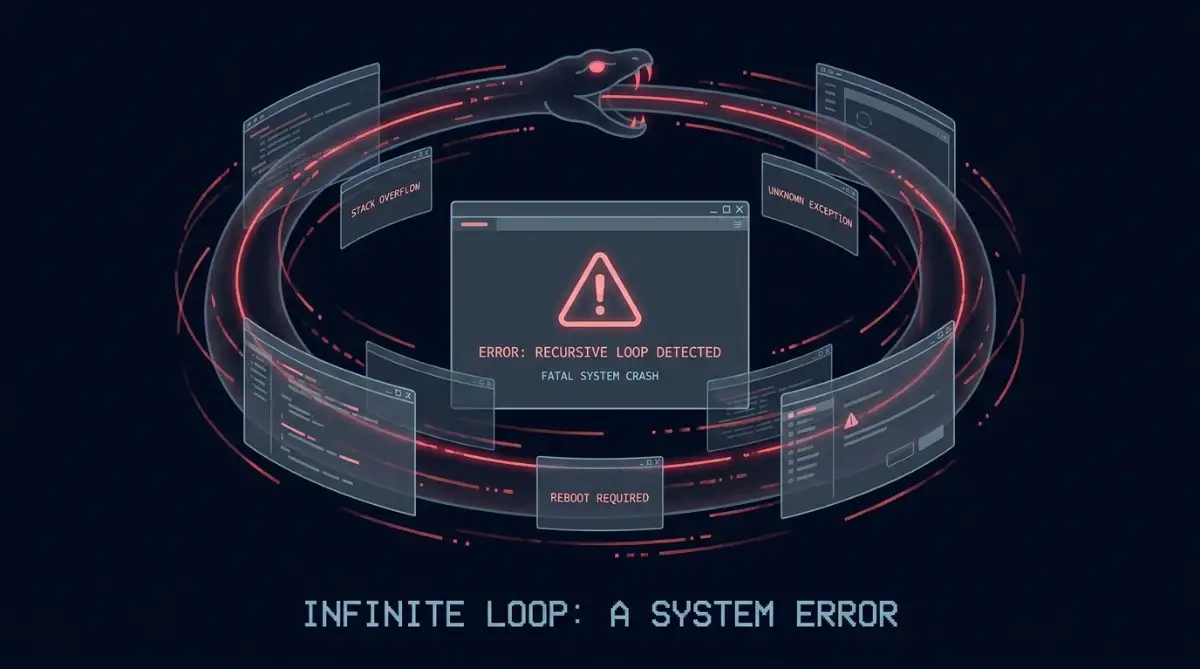
The single biggest mistake new builders make is accidentally creating an infinite loop. This happens when the action of your workflow accidentally triggers the beginning of the workflow all over again.
Let me share a quick story about a fictional manager named Mark. Mark wanted to be super efficient, so he built a system that automatically forwarded specific emails from a client to a vendor.
He also set up an auto-responder to thank the vendor every time they replied. Unfortunately, the vendor also had an automated out-of-office reply turned on.
Mark's system thanked the vendor. The vendor's system replied with an out-of-office message.
Mark's system saw the new message and said "thank you" again. They created a never-ending ping-pong match of automated emails.
When Mark woke up the next morning, his email server had crashed because the two robots had sent each other 15,000 messages overnight. Always double-check your logic to ensure your final action does not accidentally wake up your initial trigger.
Boiling the Ocean: Trying to Do Too Much
I made a huge mistake when I built my first automated system by trying to connect five different apps all at once without mapping it out first. Everything broke on the very first day, and I lost hours trying to figure out which specific step actually failed. Take it from my personal disaster: always grab a pen and paper to draw out your exact steps before you even log into any software.
Another massive trap is trying to automate your entire business operation in a single weekend. You look at your messy desk and decide you are going to connect twenty different apps into one giant mega-system.
This almost never works. When a massive workflow breaks, it is incredibly difficult to figure out which specific step caused the problem.
Complex systems require constant maintenance. If a process is fundamentally unorganized, automating it simply means you will make bad things happen at lightning speed.
Experts in business management often emphasize that you must streamline a physical process before introducing technology. A poorly designed workflow functions a lot like poorly configured AI-generated content; it technically works, but the output feels robotic, messy, and totally disconnected from reality.
Before you build anything digital, grab a piece of paper and draw the steps with a pen. If you cannot explain the process simply on paper, it is not ready for the computer.
The "Set and Forget" Danger Zone
Many people build a workflow, watch it run perfectly for two weeks, and completely forget it exists. They treat it like a microwave oven that never needs maintenance.
But the internet is constantly changing. Software companies update their platforms, password requirements change, and security settings get upgraded.
If you completely ignore your active workflows, they will eventually break without you noticing. A broken workflow silently dropping customer emails into a digital black hole is a massive business risk.
Think of small workflow errors the same way you think about personal finance mistakes. Ignoring tiny maintenance tasks can easily turn into silent credit score killers; you do not notice the damage until you try to apply for something important.
Q&A: Protecting Your Digital Infrastructure
Question: How do I know if one of my automations suddenly stops working?
Answer: Most professional no-code platforms have a built-in alert system. You should always go into your account settings and turn on "Email Notifications for Task Failures." This ensures the platform immediately warns you if an app disconnects.
Question: What if a software company completely updates their app interface?
Answer: Visual builders connect to the core code (APIs) of the software, not the visual interface. Even if a tool completely changes how its buttons look on your screen, your background automation will usually continue working perfectly.
Your Action Plan for a Frictionless Workday
We have covered a massive amount of ground today. You now understand that you do not need a computer science degree to reclaim your time.
You know how to spot the time-wasting tasks hiding in your daily routine. You understand the basic building blocks of triggers and actions, and you know how to avoid the dangerous infinite loops that trap beginners.
Now, the ball is completely in your court. Reading about productivity is fun, but actually putting these concepts into practice will change your life.
The 7-Day Quick Start Challenge
I want to issue you a very specific challenge for the upcoming week. Do not try to rebuild your entire business system.
Instead, find just one single task that takes you five minutes to do every day. It could be backing up email attachments, sorting a spreadsheet, or sending a daily reminder message to your team.
Sign up for a free visual builder account and spend twenty minutes playing around with the interface. Connect your two favorite apps and send a test data packet through the system.
When you see that first piece of information magically move across your screen without you typing anything, your entire perspective on work will shift. You will realize that you finally have a digital assistant who never sleeps, never complains, and never makes a typo.
Protecting Your Most Valuable Asset
At the end of the day, using these tools is not really about becoming a technology expert. It is about protecting your most valuable and non-renewable asset: your time.
Every hour you save by eliminating manual data entry is an hour you can spend doing deep, creative work. It is an hour you can spend brainstorming new ideas for your career.
More importantly, it is an hour you can spend away from your screen, enjoying a quiet evening with your family. Technology is supposed to serve humans, not the other way around.
Take a deep breath, pick your very first time-vampire task, and start building. Your future self will be incredibly grateful for the mental peace you are creating today.
Looking back, taking that single afternoon to learn how to connect my favorite apps literally gave me back my weekends. I no longer panic about making copy-paste errors, and I actually have the mental energy to enjoy my time off with my family. Start with just one small five-minute task today, and I promise you will be amazed at how much freedom you get back.
Disclaimer: The information provided in this article is for educational and informational purposes only. The software tools and methodologies discussed are subject to change based on the provider's updates. Always test automated systems in a secure environment before deploying them with sensitive personal or business data.