The Creepy Reality of Being Followed Everywhere
You are sitting on your couch talking to a friend about buying a new camping tent, and ten minutes later, an ad for that exact tent pops up on your social media feed. It feels completely terrifying, like someone is secretly listening to your private conversations. I used to think I was just being paranoid, until I realized my own smartphone was quietly tracking my location, my voice, and my daily habits to sell to advertisers. If you are tired of feeling like a product in a digital display window, let me show you the hidden settings you need to turn off right now to get your privacy back.
A cold chill ran straight down my spine because it literally felt like a stranger was standing in my house listening to me. My personal life was clearly not private anymore, and my own device was secretly working against me. I realized that the tiny computer I carry in my pocket every single day was quietly selling my daily habits to the highest bidder.
You probably know exactly how this creepy feeling sits in your stomach, right? Millions of normal people wake up every day feeling completely powerless over their own personal information. The constant stress of being watched and analyzed by unknown companies slowly destroys your mental peace.
When you constantly worry about who is tracking your daily location, you can never truly relax in your own home. Hidden data brokers, invisible tracking pixels, and aggressive marketing algorithms silently strip away your basic human right to privacy. This endless cycle keeps you trapped in a digital glass house where big companies watch your every single move.
But I am here to tell you that taking back your digital freedom does not require a degree in computer science. You can completely lock down your personal information by making a few simple, everyday adjustments to your phone settings today.
Your Quick Guide to Locking Down Your Phone
- Kill Background Refresh: Apps silently send your data to marketers while you sleep. Turn off background activity for all shopping and social media apps.
- Revoke Microphone Access: Stop casual games and shopping apps from accessing your camera and mic. They do not need it.
- Reset Your Ad ID: Your phone has a hidden digital license plate. Erase your "Advertising ID" in your settings to wipe your tracking history clean.
- Use Fake Emails: Use temporary email aliases when signing up for random discounts so stores cannot sell your primary email to spammers.
Reclaiming Your Digital Safe Space
Most people fail at protecting their online data because they think the process is way too complicated. They believe they have to throw their smart devices in the trash and live totally off the internet grid. Naturally, this extreme mindset causes them to just give up and accept the invasion of privacy.
The secret to a safe digital life is not about totally disconnecting from the modern world. It is all about building small, invisible walls around your personal information so you can control who gets to see it. When you understand exactly how these tracking systems operate, defeating them becomes incredibly easy and satisfying.
Locking Down the Front Door: Location Services
Your location data is easily the most valuable piece of information that data brokers want to buy. Weather apps, flashlight tools, and basic mobile games secretly record your exact GPS coordinates twenty-four hours a day. They track where you sleep, where you work, and exactly which doctors you visit during the week.
To naturally protect yourself, you must fundamentally change how your apps access this sensitive information. Go into your main system settings and completely turn off location access for any app that does not need a map to function. A calculator or a basic puzzle game never needs to know what city you are currently sitting in.
For the few apps that actually need your location, like food delivery or navigation services, change the permission to "Only while using the app". This instantly stops them from secretly tracking your movements while your phone is simply resting in your pocket. This one small habit alone will drastically increase your privacy and even save your daily battery life.
he 60-Second App Permission Checklist:
Grab your phone right now and check these three things:
- Does your weather app have access to your contacts? (Turn it off).
- Does your calculator app have access to your location? (Turn it off).
- Does your favorite mobile game have access to your microphone? (Turn it off immediately).
If you feel completely overwhelmed by phone settings, watching a visual breakdown of these tracking methods will instantly open your eyes.
Defeating the Invisible Social Media Snoops
Social media platforms are the absolute biggest offenders when it comes to tracking your behavior across the internet. They use tiny pieces of invisible code placed on millions of websites to watch what you read, buy, and search for. This means they are actively tracking you even when you completely close their specific application.
To fight this aggressive tracking, you need to actively deny them permission to follow you across other apps. Modern smartphones now have a specific setting that forces apps to ask before they track your broader activity. You must make it a strict personal rule to always select "Ask App Not to Track" every single time that popup appears.
Here is a quick pro tip from my own security journey that made a massive difference in my daily life. I used to stay logged into all my social accounts on my mobile web browser, which allowed them to track my normal web searches. Now, I always completely log out of these sites on my browser, and my targeted ads have almost completely disappeared.
The Microphone Mystery and App Permissions
Many people are terrified that their phone is actively listening to their real-world conversations through the microphone. While tech companies deny recording your voice, they do aggressively collect millions of other data points to perfectly predict what you will say or want. Regardless of how they do it, giving random apps access to your microphone or camera is highly dangerous.
Take ten minutes this evening to perform a strict audit of your device permissions. Open your privacy dashboard and look specifically at which apps have active access to your microphone, camera, and photo gallery. You will be genuinely shocked to see how many random shopping or gaming apps have full access to your personal camera.
Immediately revoke these permissions for anything that does not require taking a photo or making a voice call. If a specific app actually needs the microphone later, it will simply prompt you for permission again in the future. Better yet, set these highly sensitive permissions to ask for your approval every single time the app is opened.
Understanding the Silent Danger of Background Refresh
Background app refresh is a feature designed to keep your news feeds and emails constantly updated even when you are not looking at them. However, this same feature allows data-hungry applications to silently send your personal usage habits back to their home servers. Your phone is basically having secret conversations with advertising networks while you are fast asleep.
You need to take immediate control over which applications are allowed to operate in the background. Head over to your general settings and completely disable background activity for all social media and shopping platforms. These apps will still work perfectly fine; they will just wait to update until you physically open them on your screen.
By heavily restricting background data transfers, you cut off the constant supply of information flowing to data brokers. You also regain control over your own internet data plan, preventing sneaky apps from wasting your monthly bandwidth.
Cleaning Up Your Mobile Browser Habits
Your default web browser is the main highway where most web trackers attach themselves to your device. Standard browsers automatically accept tracking cookies, which act like tiny sticky notes attaching to your digital profile as you move from site to site. This is exactly how a pair of shoes you viewed once follows you around the internet for weeks.
Start making smart lifestyle choices by regularly clearing your browser cache and completely deleting your stored cookies. You should do this at least once a month to shake off any hidden trackers that have built up over time. Better yet, switch to a privacy-focused browser that automatically blocks these third-party cookies by default.
You can also drastically improve your privacy by changing your default search engine away from the major data-collecting giants. Use a secure search engine that firmly promises never to store your search history or build a profile on your behavior. These simple daily habits ensure your curious web searches remain completely known only to you.
Managing the Hidden Dangers of Wi-Fi Connections
Connecting to public Wi-Fi networks at coffee shops or airports feels incredibly convenient when you need quick internet access. However, these open networks are notoriously insecure and act as massive playgrounds for data interception. Hackers and tracking agencies can easily sit on the same network and watch the raw data leaving your phone.
Make a firm personal rule to never access your bank accounts or enter sensitive passwords while connected to public Wi-Fi. If you must use a public connection, always use a reputable Virtual Private Network to heavily scramble your data. This creates a secure, dark tunnel for your information that nobody on the outside can read or analyze.
When you are simply walking around the city, turn off your phone’s automatic Wi-Fi scanning feature. Retail stores often use hidden Wi-Fi sensors to track your physical movements as you walk down their shopping aisles. Keeping your Wi-Fi toggle strictly turned off until you actually need it prevents these stores from mapping your physical habits.
Taming the Notification Overload
While notifications seem like harmless little alerts, they are heavily engineered psychological tools designed to pull you back into data-harvesting apps. Every time you click a notification, you give that company fresh data about what exact time you are active and what grabs your attention. It creates a detailed behavioral profile based entirely on your daily reaction times.
Take a moment to honestly evaluate which applications actually deserve the right to interrupt your peaceful day. Turn off all lock screen notifications for shopping apps, casual games, and non-essential social media updates. Only allow direct messages from real human beings or important calendar events to bypass your digital walls.
When you stop reacting to their constant pings, you naturally spend much less time feeding their data algorithms. You break the psychological chain they use to keep you engaged, resulting in a much healthier relationship with your device. Protecting your attention is just as important as protecting your basic digital information.
Next-Level Strategies for Total Device Anonymity
Once you lock down the basic permissions on your phone, you are already far ahead of the average internet user. However, data brokers are incredibly sneaky and constantly look for backdoors to gather your personal information. To truly protect your digital identity, you need to understand how these companies identify you behind the scenes.
One of the biggest secrets in the tech industry is something called your mobile advertising ID. Think of this ID as a permanent digital license plate attached to your phone that marketers use to track your specific habits. Every single time you view an ad or download a free app, this invisible license plate is recorded and filed away in a massive database.
You actually have the power to reset this license plate whenever you want, confusing the algorithms entirely. Dig into your main privacy settings and look for the specific option labeled "Reset Advertising ID" or "Delete Advertising ID." Pressing this button instantly erases your past tracking profile, giving you a completely fresh and anonymous start.
Where is the Hidden Reset Button?
If you are having trouble finding this invisible license plate, here is the exact path:
- For iPhone Users: Go to Settings > Privacy & Security > Tracking.
- For Android Users: Go to Settings > Privacy > Ads > Reset advertising ID.
- Do this once a month to keep the marketing algorithms completely guessing!
The Magic of Email Aliases for Daily Use
We often hand over our primary email address just to get a small ten percent discount at an online clothing store. Within days, that single store sells your email to fifty other marketing companies without your knowledge. Suddenly, your private inbox is completely flooded with spam, making you feel incredibly stressed and disorganized.
Instead of giving out your real contact information, start using temporary email aliases for all your casual sign-ups. Many modern smartphones now have built-in features that generate a random, fake email address when you create a new account. This fake address simply forwards the messages to your real inbox while keeping your actual identity completely hidden.
If that random store ever gets hacked or sells your data, you can simply delete that specific fake email address with one tap. This completely cuts off the spam at the source without forcing you to abandon your main personal email. By keeping your primary email a total secret, you heavily protect yourself from targeted phishing scams and unwanted marketing.
Understanding DNS Filtering for Automatic Protection
Every time you type a website name into your browser, your phone uses a system called DNS to find the correct page. Standard DNS servers provided by your internet company actively record every single website you visit. They then happily sell this massive list of your browsing history to aggressive advertising networks.
You can stop this invisible tracking by changing your phone to a secure, privacy-focused DNS provider. By exploring resources on protecting digital civil liberties, you will quickly learn that changing a DNS setting takes less than two minutes. A secure DNS acts like a heavily armed security guard, automatically blocking known tracking servers before they even load on your screen.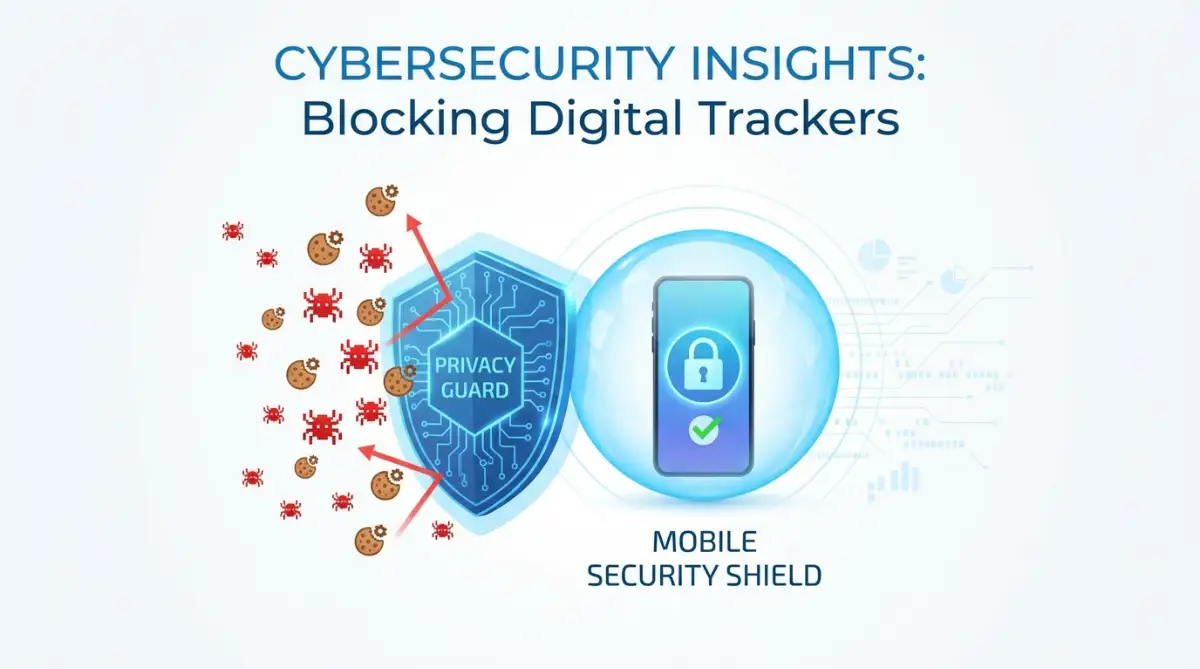
When you use this setup, advertisements and hidden tracking pixels simply fail to load on your favorite websites. Pages will load much faster, and your phone will use significantly less mobile data every month. This creates a beautifully clean browsing experience where nobody is looking over your shoulder to see what you are reading.
Compartmentalizing Your Most Sensitive Apps
Most people keep their highly sensitive banking apps right next to silly puzzle games on their home screen. This is a massive security risk because sketchy gaming apps constantly try to read data from other applications on your device. You should strictly separate your fun applications from the apps that handle your personal wealth.
I highly recommend keeping your financial apps in a hidden or locked folder on your device. Only open these specific applications when you are actively managing your money, and close them completely when you are done. This simple habit adds a powerful layer of security, similar to the strategies we discuss for safely everyday habits that will secretly grow your bank account.
By physically separating these tools, you reduce the chance of accidental data leaks across different platforms. Your phone becomes a much more organized tool rather than a chaotic mess of overlapping permissions. You will feel a strong sense of control knowing your financial information is securely locked behind an extra digital wall.

The Dangerous Blunders That Expose Your Daily Life
Even when people try their best to be safe online, they often fall into very common psychological traps. Tech companies spend billions of dollars designing their screens to make you blindly agree to their tracking terms. If you are not paying close attention, you can easily hand over your entire digital life with just one lazy tap of your finger.
These common mistakes seem completely harmless in the moment, but they have serious long-term consequences. Data leaks can lead to aggressive identity theft, ruined credit scores, and immense emotional distress. Let us talk about the specific daily habits you need to break immediately to keep your personal life safe.
The "Log In With Social Media" Trap
Whenever you download a new app or visit a new website, you usually see a big, colorful button offering to let you log in using your social media account. It feels incredibly fast and convenient because you do not have to create a new password or remember another username. However, this is one of the absolute worst things you can do for your personal security.
When you connect a random app to your main social media profile, you are actively building a giant bridge between two separate databases. The new app can now quietly pull data from your social profile, including your friend list, your photos, and your daily interests. According to deep studies on consumer privacy concerns, this exact feature is how millions of people unknowingly expose their private lives to strangers.
Always take the extra forty seconds to create a brand new account using a strong password and a fake email alias. Yes, it takes slightly more effort today, but it completely isolates your new account from your broader digital identity. This small level of friction is a very cheap price to pay for true peace of mind.
Blindly Accepting the "Cookie" Pop-ups
Every single website you visit today hits you with a massive banner asking you to accept their tracking cookies. Because we are always in a rush to read an article or buy a product, we instinctively click the bright green "Accept All" button just to make the banner disappear. This fast reflex is exactly what advertising companies rely on to track your every move.
By clicking that button, you are legally giving them permission to install dozens of hidden trackers directly onto your phone. You must train your brain to stop and click the "Manage Options" or "Reject All" button instead. Just like fixing the sneaky morning habits that ruin your focus, slowing down your digital reflexes takes a little bit of practice.
Once you get used to rejecting these invasive cookies, you will notice a massive drop in those creepy targeted advertisements. The websites will still load and function perfectly fine without harvesting your private data. You are simply asserting your right to browse the internet without being treated like a product on a shelf.
Ignoring Software Updates for Too Long
We all get annoyed when our phone suddenly asks us to restart for a mandatory system update right in the middle of a busy day. Many people ignore these critical updates for months because they falsely believe the new software will ruin their battery life. This specific behavior is just as dangerous as believing outdated smartphone charging myths completely debunked by modern science.
The truth is, these system updates almost always contain massive security patches designed to block newly discovered tracking methods. Hackers and data brokers constantly find new holes in phone software, and your device manufacturer pushes updates specifically to close those holes. When you delay these installations, you leave your front door wide open for any determined tracker to walk right in.
Make it a strict habit to install system updates the very same day they become available on your screen. Plug your phone in before you go to sleep and let the device handle the heavy lifting overnight. You will wake up to a much more secure device that is fully equipped to fight off the latest digital threats.
Blending Your Home Network and Mobile Devices
Many people successfully secure their smartphones but completely ignore the security of their broader home internet network. Your phone spends most of its time connected to your home Wi-Fi, along with your smart TVs, smart speakers, and security cameras. If your main internet router is not properly secured, trackers can use your smart home devices to monitor your phone activity.
This is why setting up a secure smart home is highly connected to protecting your mobile privacy. Ensure your main home router uses a strong password and operates on a heavily encrypted network setting. When your home base is secure, your smartphone can finally rest safely without fending off hidden network attacks.
You can also look into official government consumer protection advice regarding how to secure your entire home network properly. Understanding how these connected devices talk to each other gives you a massive advantage over sneaky data brokers. You will sleep much better knowing your digital home is just as safe as your physical one.
A Word from the Expert on Your Digital Freedom
Taking control of your digital footprint is not a one-time event; it is an ongoing, empowering lifestyle choice. At first, digging into these buried settings might feel a bit intimidating, but the resulting peace of mind is absolutely worth the effort. You are actively stepping out of the shadows and demanding respect from the companies that rely on your personal information.
By applying the simple tricks we discussed today, you become practically invisible to the aggressive algorithms that control the modern web. You can finally search for health advice, shop for personal items, and message your loved ones without feeling heavily monitored. Remember, your personal data is highly valuable, and nobody deserves to profit from it without your clear consent.
Just like you would follow trusted federal mobile security guidelines to protect your bank accounts, use this blueprint to protect your basic privacy. Spend just twenty minutes this weekend going through your permissions, resetting your advertising ID, and deleting unused apps. This tiny investment of your time will pay off massively in reduced stress and a much cleaner, faster mobile experience.
You can always return to our main technology hub whenever you need a quick refresher on these security settings. Building a secure digital life is totally within your reach, no matter how much tech experience you currently have.
I remember how stressed I used to feel every time a hyper-specific ad popped up on my screen, making me feel totally exposed. Taking back control of my phone settings brought me an unbelievable amount of relief and digital confidence. I know you can easily achieve this exact same freedom today, so grab your device and start turning off those invasive trackers right now!
Frequent Questions About Mobile Data Protection
Do I need to buy an expensive privacy phone to stay safe?
No, you absolutely do not need to buy a special, expensive device to protect your information. Standard smartphones have excellent built-in security features that are simply turned off by default when you buy them. Just by changing the basic settings we discussed, your current phone becomes incredibly secure.
Can someone track my phone if it is completely turned off?
When your phone is fully powered down, it stops transmitting standard cell signals and Wi-Fi data, making active tracking almost impossible. However, the moment you turn the device back on, it will instantly reconnect to nearby cell towers and log your new location. To avoid location logging entirely, you must turn off your location services in the main settings before powering down.
Are free VPN applications actually safe to use for privacy?
You should completely avoid free Virtual Private Networks because they usually do the exact opposite of protecting you. Running a secure server costs a lot of money, so "free" companies often cover their costs by secretly selling your browsing data to advertisers. Always invest in a highly rated, paid service that officially promises never to log your personal internet traffic.
Will changing these strict settings break my favorite apps?
Most major applications will continue to work perfectly fine, even if you deny them access to your microphone or location. They might show a small popup asking for permission again, but the core features will remain fully usable. If an app completely refuses to open just because you denied a non-essential permission, that app is highly suspicious and should be deleted immediately.
How often should I actively check my privacy permissions?
It is a great habit to review your app permissions at least once every three months, just like changing a home air filter. Big software updates can sometimes reset your customized privacy preferences back to their default, less secure state. Setting a quick calendar reminder helps you catch any sneaky apps that recently tried to regain access to your private data.
Disclaimer: The content provided in this blog post is strictly for informational and educational purposes only. It does not constitute professional technical, legal, or cybersecurity advice. Software interfaces and security protocols change frequently, and everyone's digital environment is unique. Please consult with a certified IT professional or cybersecurity expert before making major changes to your network infrastructure.